
Install the Software
You can create websites with all sorts of software, from the simple text editor that came with your computer to expensive publishing software. You can even create websites using other websites.
We are going to use a piece of software called “Publii”.
Publii is a Static Site Content Management System. This means that it stores the content (words & pictures) that you write, and then generates “static” webpages that can be hosted/served from almost any web hosting service.
There are other types of Content Management Systems (e.g wordpress) that store the content in a database and then generate the HTML every time the user requests a page. This is good for sites with dynamic content (like visitor comments). But for many sites "static" HTML pages are going to cheaper to host, faster to serve and easier to manage.
- Download Publii:
- For Microsoft Windows this is the current version: https://getpublii.com/download/Publii-0.45.2.exe
- For Mac, or Linux and other download version see: https://getpublii.com/download/
- Install the software (ask the person that looks after your computer if you need help with this)
- Once installed Publii will should start up automatically
- If you need to start it manually:
- open your windows start menu
- type “publii” (without the quotes)
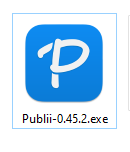
- double click the icon to load Publii e.g.:
When Publii is open for the first time it will be ask you to enter details for your first site. Find out what to do next on the “Create your first page” page